
Take bookings on your own site.
A WordPress plugin for appointments and room reservations. No booking limits, no branding, free to use.
Add one shortcode to a page and you are taking bookings.
One plugin, two kinds of booking
Most booking plugins do appointments or accommodation. Bookvatio does both, from the same admin, with two shortcodes.
Appointments
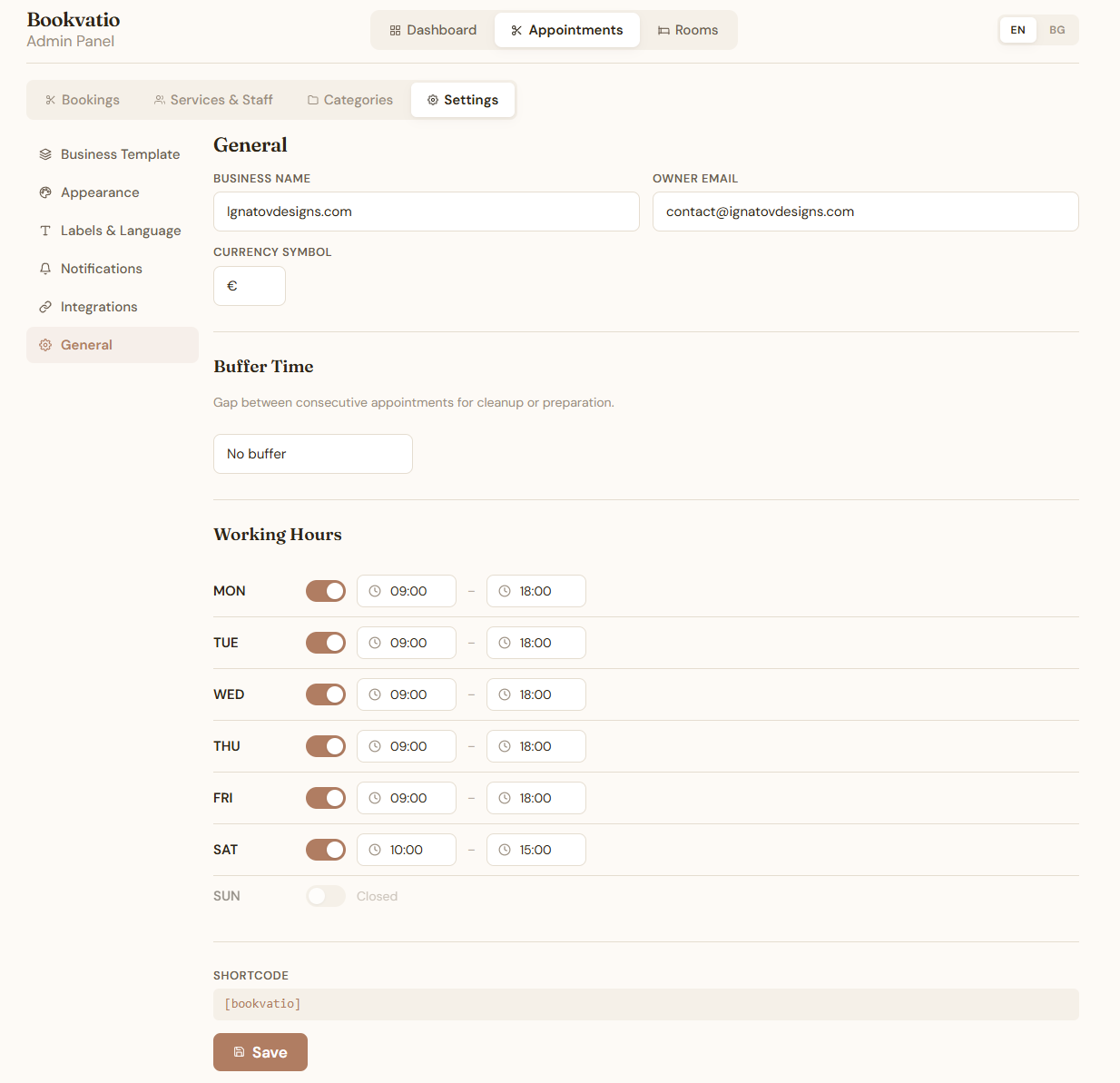
For salons, barbers, clinics, practitioners and workshops. Build categories, services and staff, set your working hours, give each service a duration and a price. Double bookings are blocked for you, and a buffer setting holds time between appointments for cleanup or preparation.
Shortcode [bookvatio]
Rooms and stays
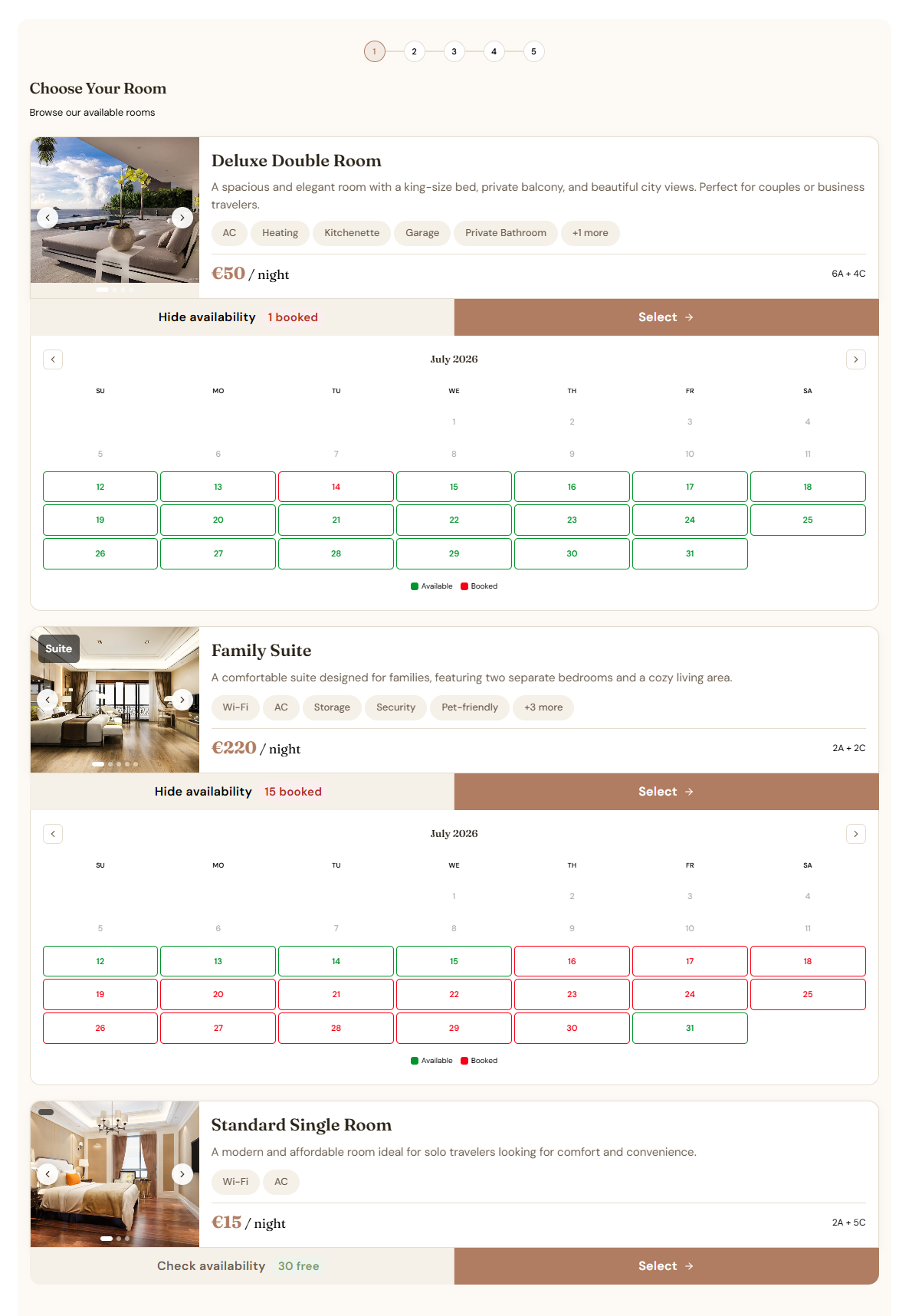
For guest houses, B&Bs and rentals. Rooms carry photos, amenities, capacity and a nightly price. Guests choose check-in and check-out dates and say how many adults and children are coming. Availability shows per room, per day.
Shortcode [bookvatio-rooms]
Templates change the flow, not just the words
Rooms ships three templates. Appointments ships two, and the Custom one adds a step where you define your own fields, dropdowns and sections.
Guest House and B&B
Check-in and check-out dates, priced per night.
Property for Sale
Swaps the date range for a single viewing date and a fixed total.
Apartment Rental
Removes the calendar and takes an enquiry instead, priced per month.
What your customer sees
Five steps for an appointment. Two are optional, which leaves a three step booking if that suits you better.
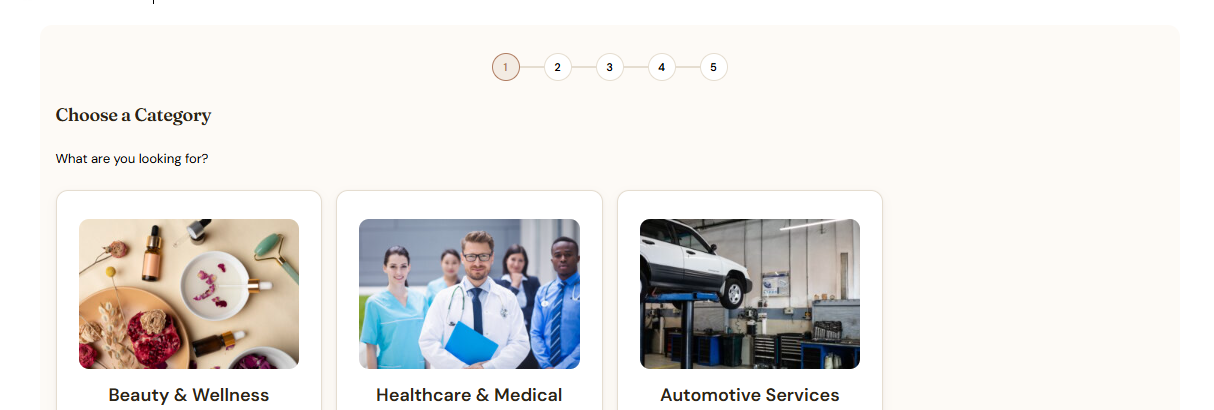
Choose a category
Groups your services so nobody scrolls a flat list. Off by default if you only offer a handful of things.
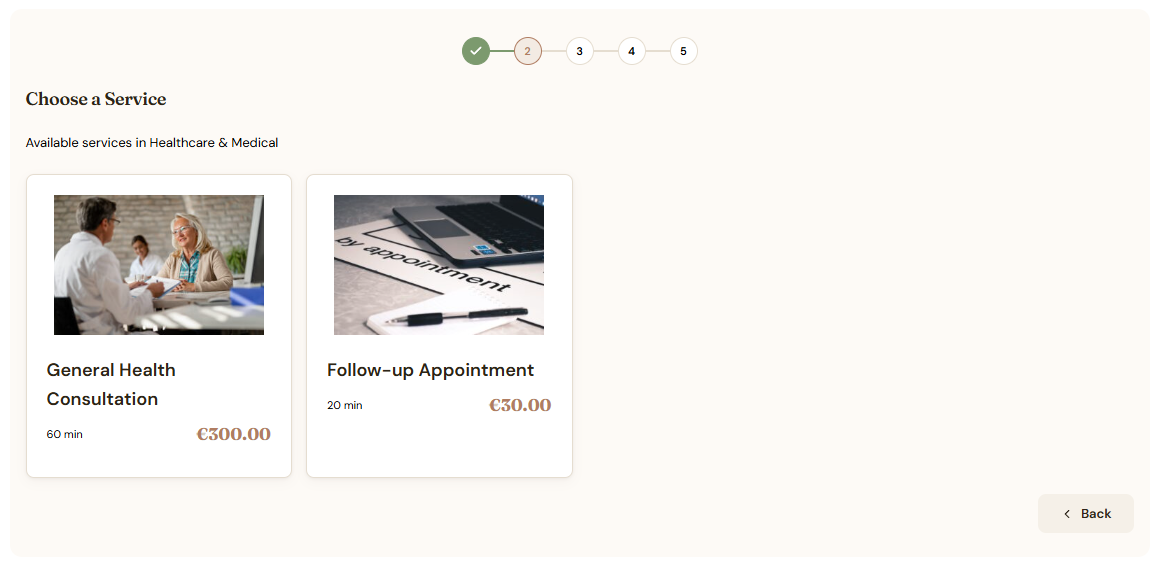
Choose a service
Each service shows its duration and its price, so nobody has to ask what it costs before they book.
Choose the person
Only staff assigned to that service appear, so a one-person business can switch this off entirely.
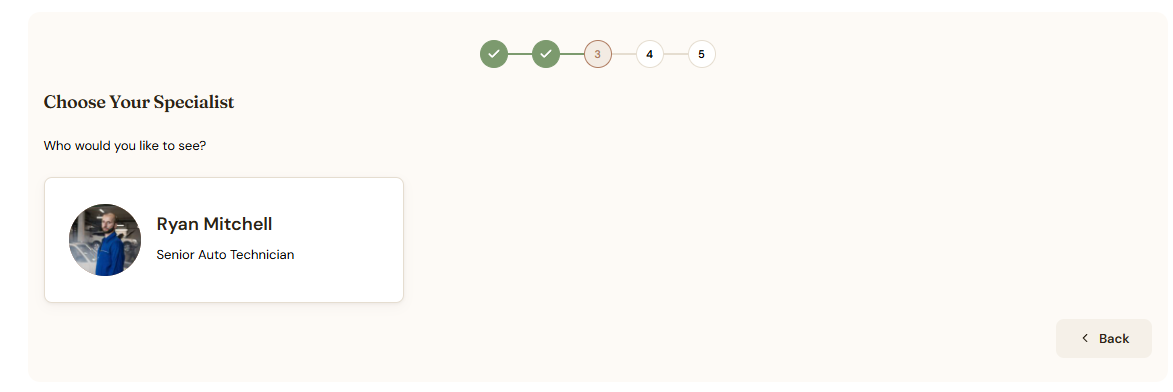
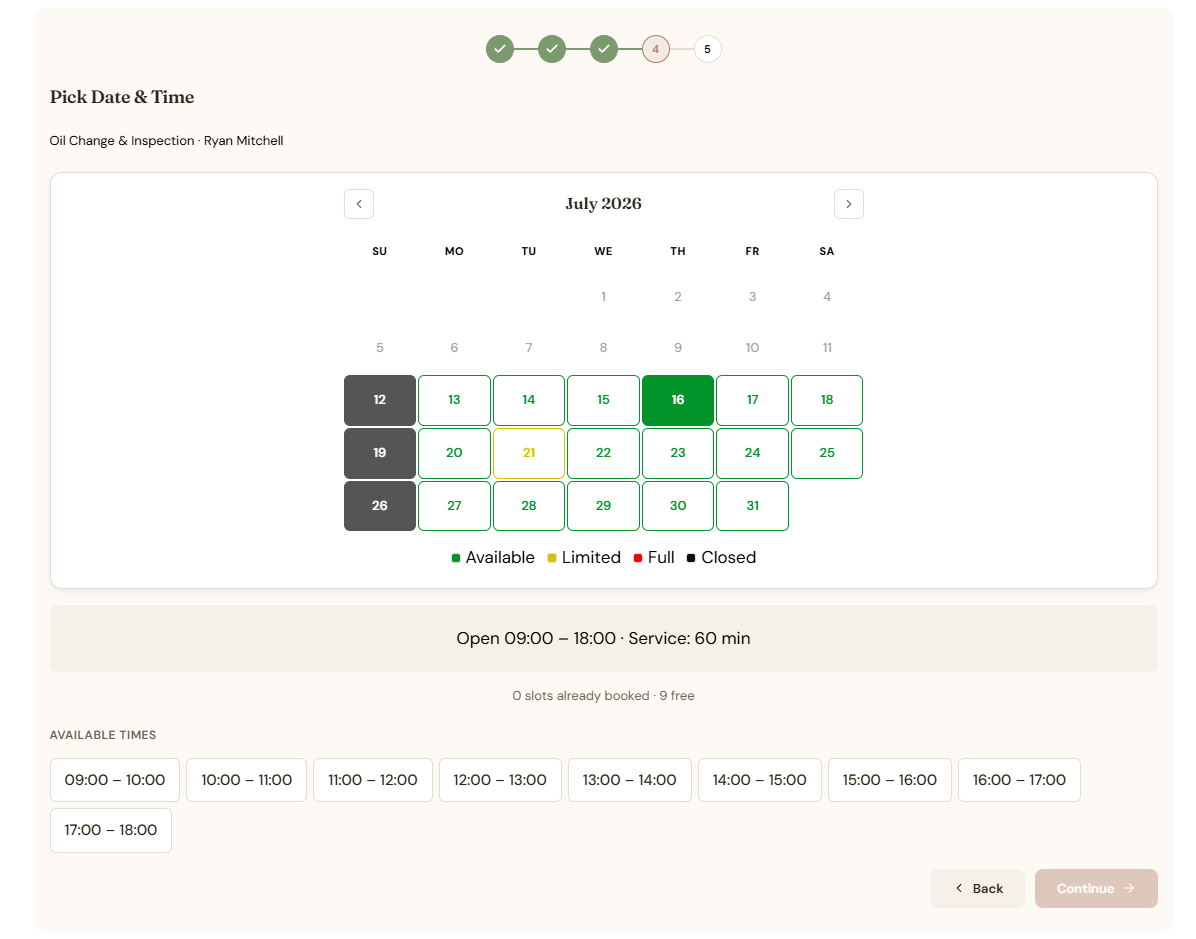
Pick a date and time
The calendar marks every day available, limited, full or closed, and only offers slots that fit the service inside your working hours. A day you are closed cannot be picked.
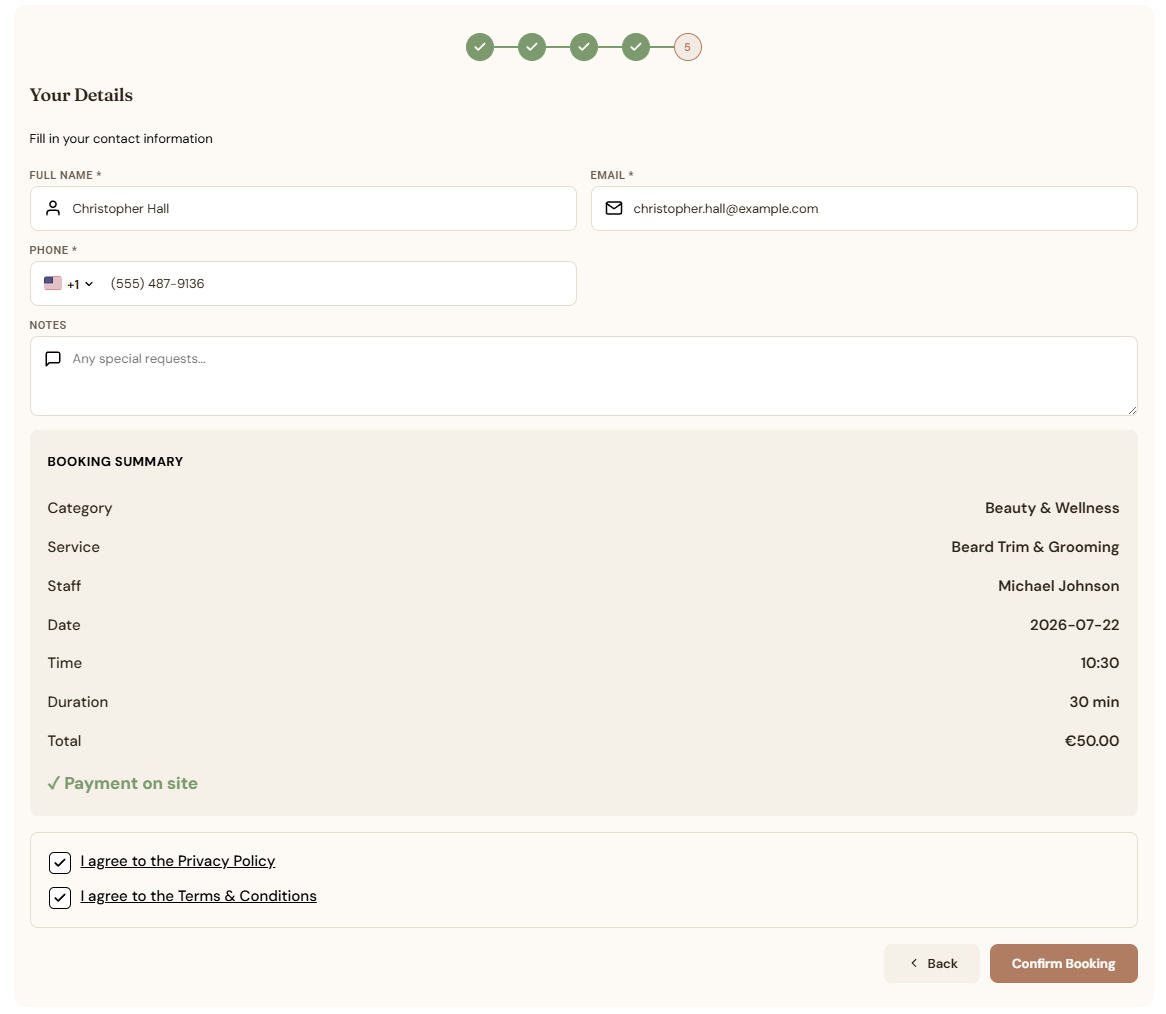
Confirm the details
Name, email, phone, an optional note, and a summary of everything chosen with the total. Privacy and terms consent are built in.
Rooms follows the same shape with different steps. Choose a room, look at the gallery and amenities, pick check-in and check-out, say how many guests are coming, then confirm.
What it fixes
Two people in the same slot
Working hours, service duration, buffer time and existing bookings are all checked before a slot is offered. A time that cannot work is never shown, so it cannot be picked.
The back and forth
The booking page runs while you are with a client, or asleep. The customer picks from what is genuinely free and gets an email confirming it.
Answering the same two questions
What does it cost, and how long does it take? Both sit on every service card, before anyone commits to anything.
Staff on different hours Pro
Services are assigned per person, so customers only see staff who do that service. Pro adds week and day views with a column each, plus vacation and time-off blackouts.
Hearing about it hours later Pro
Every booking emails you the moment it lands. Pro pushes it to your phone and lets you manage bookings from a mobile app.
One room, two websites Pro
A room sold on Airbnb and on your own site is a double booking waiting to happen. Pro syncs availability with Airbnb, Booking.com and iCal.
What you see
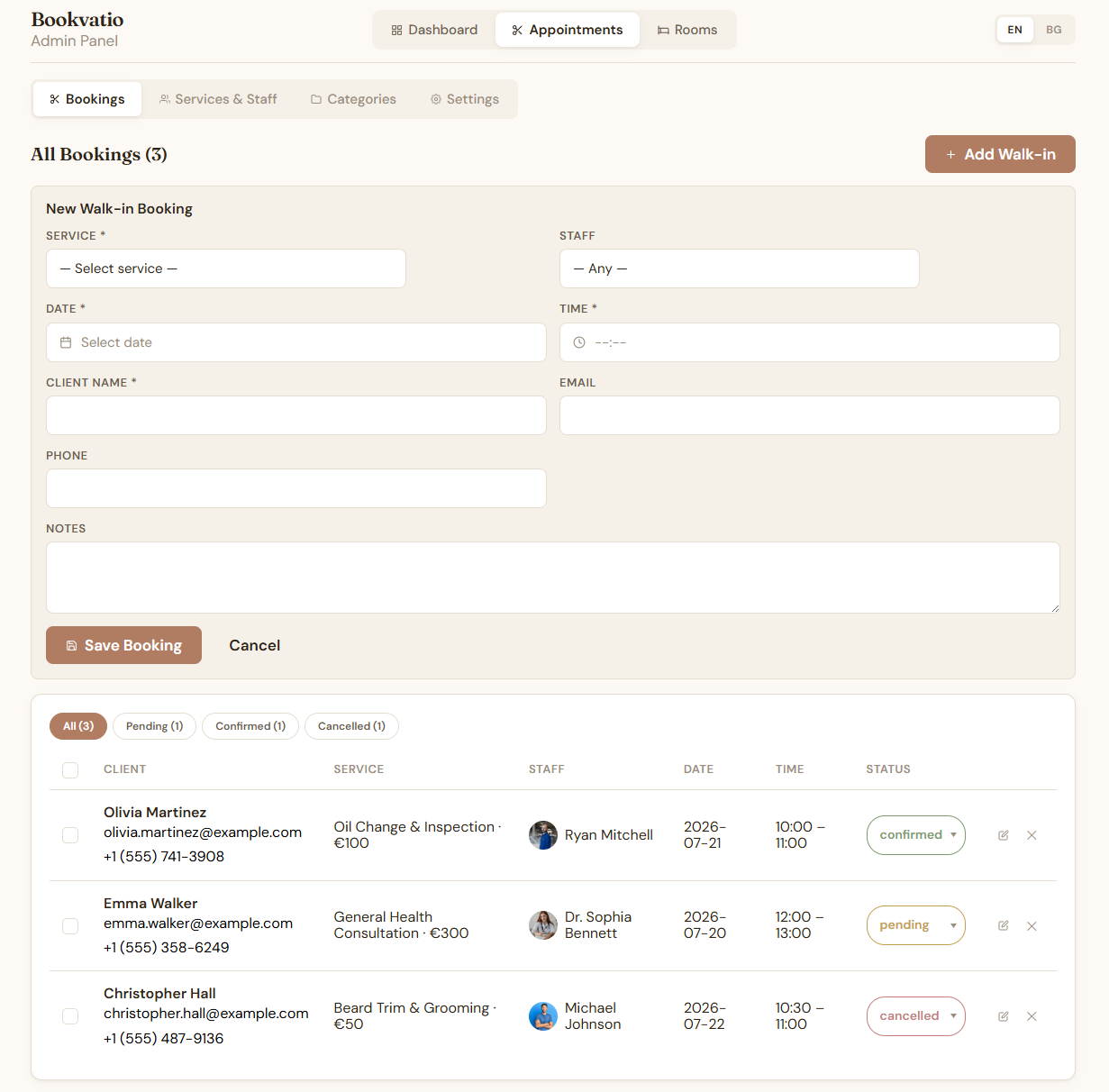
The booking arrives
It lands as pending and emails you. The customer gets one too, saying it is received and waiting on you. Both are templates you can rewrite, with merge tags for name, service, staff, date, time and price.
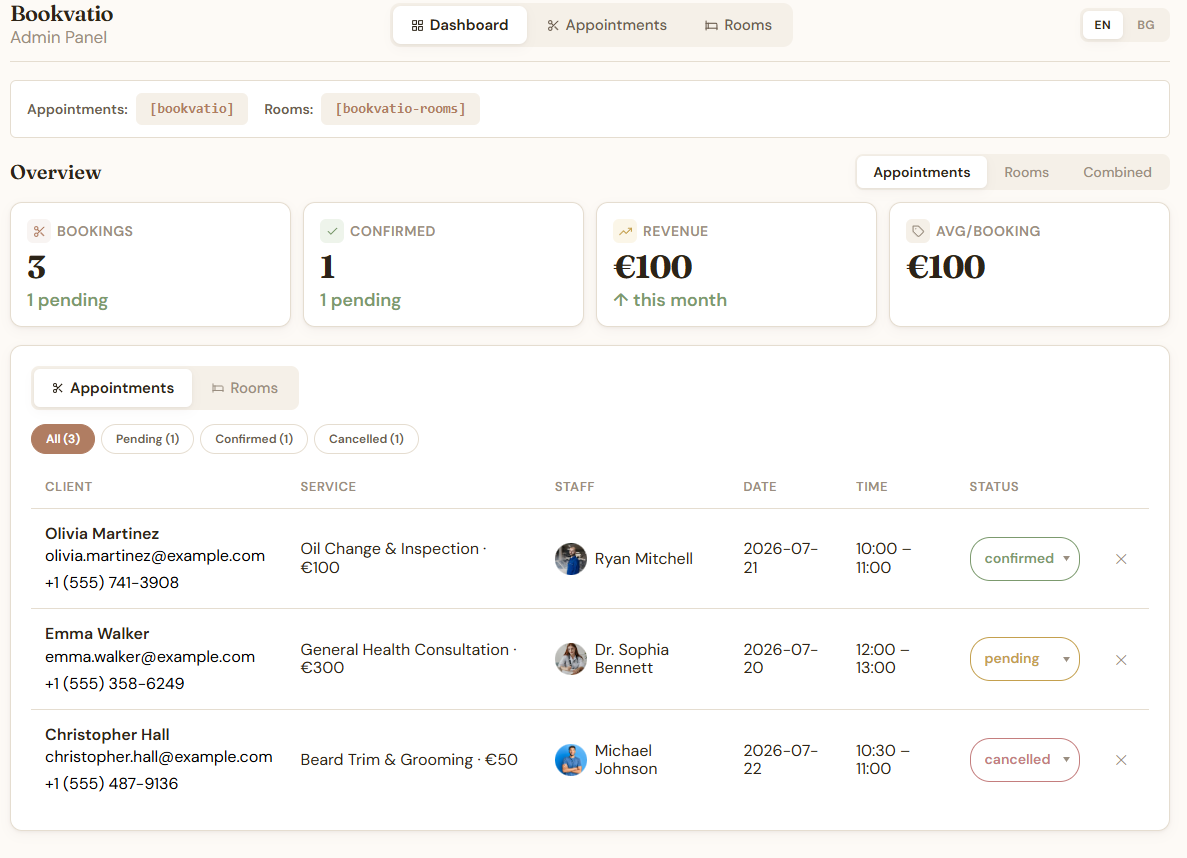
You confirm it, or you cancel it
One control on the booking row. Confirming tells the customer it is settled. Cancelling tells them it is off. Any of those three emails can be switched off.
You add the ones that came by phone
Walk-ins go in by hand against the same calendar, so the availability your customers see stays true.
You see where the month stands
Bookings, confirmations and revenue for the month, with appointments and rooms viewable separately or together.
Free vs Pro
The free version is not a trial and it is not limited by volume. Pro is worth buying if you take money online, sync rooms across channels, or schedule more than one person.
What you get with Pro
Twelve features, and they answer four problems.
Take the money up front
Stripe on the booking form, so the slot is paid for before it is held. Let the customer choose between paying online and paying on site. Invoices generate as localised PDFs, and you can run coupons and discount codes.
Run it from your phone
Owner mode in the mobile app with your own login. A push notification lands the moment a booking does, so you are not refreshing email between clients.
Real scheduling control
Week and day views with a column per staff member, which is where a month grid stops being enough. Vacation and time-off blackouts per person. Rules for how much notice you need and which dates are closed.
Fill rooms from everywhere
Availability syncs with Airbnb, Booking.com and iCal, so a room booked on one is not still for sale on the others. This is the only Pro feature built for rooms rather than appointments.
Get Pro
Price not set. Replace this and the amount above once decided.
One site per licence. The licence runs for one year. A purchase, not a trial: the free version stays free whatever you decide.
Before you buy, read how the licence ends
When the year is up the licence stops and Bookvatio Pro stops working until you buy again. Your booking page will not take bookings while it is lapsed.
This is not an update cutoff or a support cutoff. It is the plugin itself. Plan the renewal the way you plan a hosting renewal.
The free version is not affected. It keeps working, with no licence and no time limit.
Questions before you buy?
Ask about licensing several sites, whether Bookvatio fits how your business runs, or anything the comparison did not answer.
Contact form goes here
Placeholder. Drop an Elementor Pro Form widget in here and set its fields to name, email, website and message, then point its action at the address that should receive enquiries. Built as a slot rather than a guess, because the form needs a real destination and no email address was supplied.